Annual industry robots installed in top five countries
Here are the annual industrial robot installations for the top five countries in recent years,...


Here are the annual industrial robot installations for the top five countries in recent years,...
Bluetooth.com.cn has long been a pioneer in China’s Bluetooth technology sector. As one of the...
Integrates AI to quickly identify body constitution in one minute.Driving the intelligent...
We serve as your dedicated on-the-ground representative in China, handling all aspects of your...
This product was developed after nearly 20 years of technological research and development,...
SparkLink Alliance is an industrial alliance committed to promote next-generation wireless short-range communication technology innovation and industry ecosystem, and support applications in smart cars, smart homes, smart...
Portable signal acquisition and replay equipmentIt can complete the acquisition, storage and playback of 30MHz~ 3.6ghz analog signals, and simulate multi-frequency interference signals and fraud signals of BDS, GPS, GLONASS and...
High-resolution sound and crystal-clear voice calls, an industry-first wireless audio retransmission case.


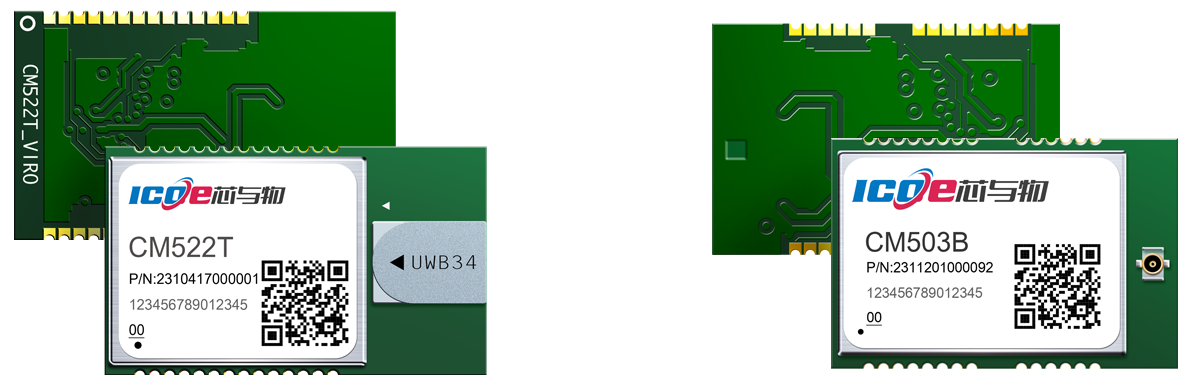
CM52 series products are UWB+GNSS indoor and outdoor integrated positioning module solutions...
Here are the annual industrial robot installations for the top five countries in recent years,...
Bluetooth.com.cn has long been a pioneer in China’s Bluetooth technology sector. As one of the...
Integrates AI to quickly identify body constitution in one minute.Driving the intelligent...

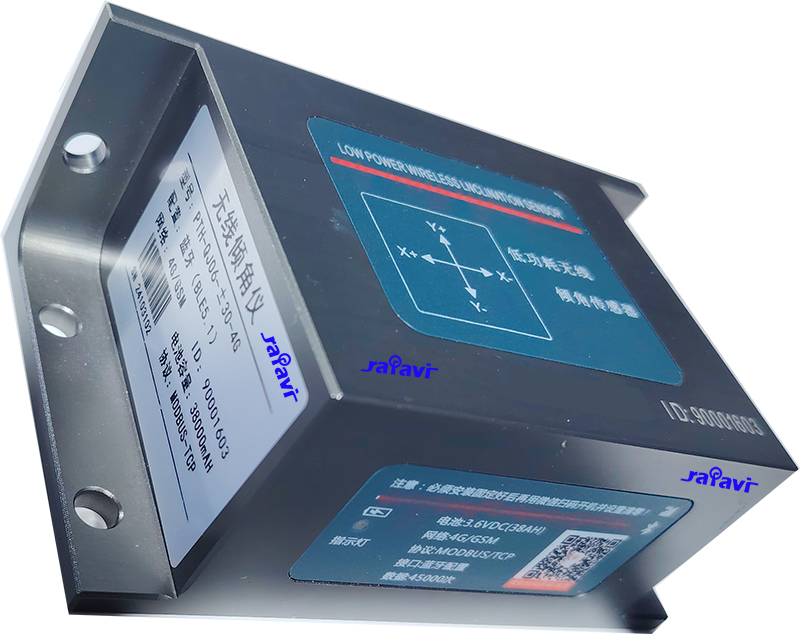
4G/GSM Bluetoot 5.1 low power wireless inclination sensor
Portable signal acquisition and replay equipmentIt can complete the acquisition, storage and...
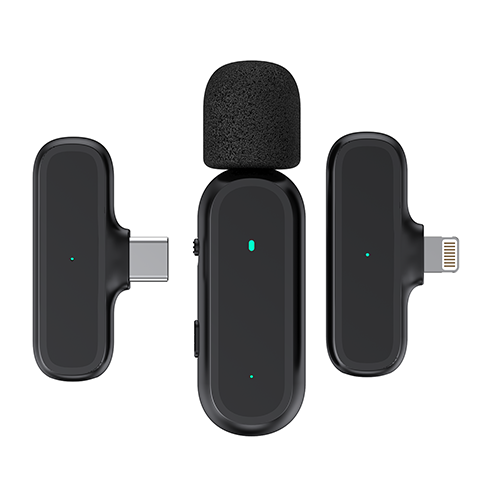
Professional radio noise reduction live microphone
Customizable photo screensaver, support connected mobile phone pictures. Support short video...

存在的问题:
虽然利用CAN总线开发产品技术已经比较成熟了,但开发产品也是存在许多问题的,但目前存在的最大问题就是:不清楚通过何种指令发送给ECU,从而控制目标器件。
解决方法:
现市场上有很多开发工具,通过USB接口将工具连接至CAN网络中,对CAN网络中的数据进行采集,再通过专业分析工具对其解析从而得出相应的指令。
以USBCAN-2E-U为例:
1、打开CANtest通用测试软件,选择USBCAN-2E-U接口卡,并且选定总线的波特率,点击确定并启动,启动CAN接口卡。如图1所示;

图1 打开CANtest软件初始化
2、点击菜单快捷操作中的DBC解析按钮,进入DBC解析界面,如图2所示;

图2 打开DBC解析
3、DBC解析界面中,点击加载DBC,选择对应的DBC文件打开,本文以J1939协议为例,选择j1939.dbc打开,解析柴油机、卡车或者公交车等协议,如图3所示。

图3 加载DBC文件
4、此时接收数据即可进行DBC解析,用户可以使用分类显示或者刷新显示查看。此时点击某个报文,下方解析框中将这帧包含的应用数据显示出来,如图4所示,ID为0x0CF0041A中第三个字节为0x6C,这个代表着EngSpeed(发动机转速)为6861.50rpm(转/分)。

图4 数据解析